

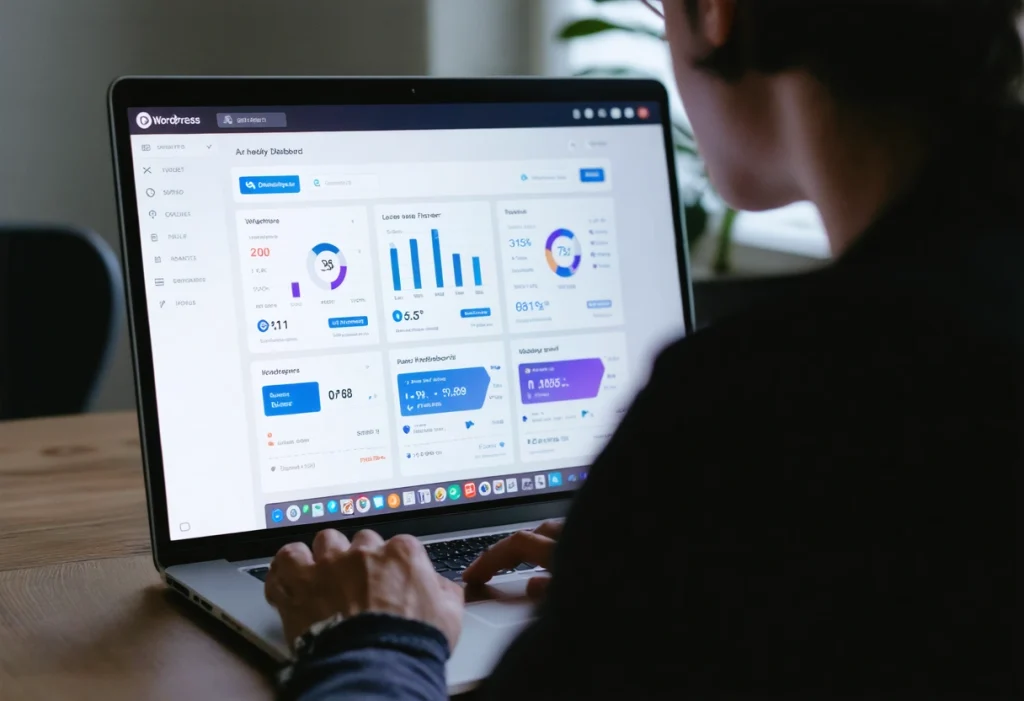
Introduction to WordPress for Website Development
WordPress has emerged as one of the most popular content management systems (CMS) in the world, powering over 40% of all websites on the internet. Its user-friendly interface, flexible customization options, and a vast ecosystem of plugins and themes make it an ideal choice for both beginners and seasoned developers. In this post, we’ll explore how harnessing the power of WordPress can lead to efficient and robust website development.
Whether you’re building a personal blog, an e-commerce store, or a corporate website, WordPress offers a range of tools and resources to bring your vision to life. By understanding its capabilities and leveraging its strengths, you can create a high-performing website that meets your specific needs.
Why Choose WordPress for Website Development?
WordPress is renowned for its simplicity and ease of use, characteristics that make it accessible to individuals without extensive technical expertise. Its intuitive interface allows users to create and manage content effortlessly, reducing the learning curve for new users. Developers, on the other hand, appreciate WordPress’s flexibility, making it a preferred choice for custom development projects.
One of the standout features of WordPress is its open-source nature. As an open-source platform, it fosters a collaborative environment where developers can contribute to its continuous improvement. This community-driven approach ensures that WordPress remains at the forefront of web development technologies, continually evolving to meet the changing demands of users and developers alike.
Customizability and Flexibility
WordPress offers unparalleled customizability, allowing developers to tailor websites to specific requirements. With thousands of themes and plugins available, you can extend the functionality of your site without starting from scratch. Themes control the visual appearance, while plugins add specific features, such as contact forms, SEO enhancements, and social media integration.
For developers looking to create unique solutions, WordPress’s extensive documentation and support for custom code make it easy to implement individualized features. This flexibility ensures that your website can grow and adapt as your business evolves.
SEO-Friendly Architecture
WordPress is built with search engine optimization (SEO) in mind, helping your website rank higher in search engine results. Its clean code and logical structure make it easy for search engines to crawl and index your content. Additionally, WordPress offers numerous SEO plugins that provide advanced optimization tools, such as keyword analysis, metadata management, and XML sitemap generation.

By taking advantage of these SEO capabilities, you can improve your website’s visibility and attract more organic traffic. This is particularly important in today’s competitive online landscape, where standing out from the crowd can significantly impact your success.
Utilizing WordPress for Efficient Development
Efficiency is a key consideration in website development, and WordPress excels in providing tools and techniques to streamline the process. The platform’s ecosystem of themes and plugins allows for rapid prototyping and deployment, reducing development time and costs.
Furthermore, WordPress’s extensive marketplace of third-party plugins enables you to add complex functionalities without the need for extensive coding. This modular approach allows developers to focus on building core features, rather than reinventing the wheel for common tasks.
Responsive Design and Mobile Optimization
In today’s mobile-first world, ensuring that your website is responsive and mobile-friendly is essential. WordPress themes are designed with responsive design principles in mind, ensuring that your website looks great on all devices, from desktops to smartphones.
By choosing a responsive theme, you can provide a seamless user experience, regardless of the device your visitors use. Mobile optimization is crucial for maintaining low bounce rates and high conversion rates, directly impacting your site’s overall performance and success.
Security and Updates
Security is a top priority for any website owner, and WordPress takes this responsibility seriously. Regular updates, security patches, and community-driven security measures ensure that WordPress remains a secure platform for website development.
To further enhance security, WordPress provides numerous plugins designed to protect against common threats such as malware and brute force attacks. Implementing these security measures is essential for safeguarding your data and maintaining user trust.
Building a Robust WordPress Website
Creating a robust WordPress website involves more than just installing themes and plugins. It requires careful planning, thoughtful design, and a strategic approach to content and functionality.
Start by defining your website’s goals and target audience. Understanding your audience’s needs will guide your design and content decisions, ensuring that your website resonates with visitors and achieves its intended purpose.
Content Strategy and Management
Content is the backbone of any website, and WordPress offers a variety of tools to manage and optimize your content effectively. Use categories and tags to organize your posts, making it easy for visitors to find relevant information. Additionally, WordPress supports multimedia content, allowing you to incorporate images, videos, and audio to enhance your site’s engagement.
Consistency is key when it comes to content strategy. Regular updates and quality content will keep your audience engaged and encourage return visits. Consider implementing a content calendar to plan and schedule your posts, ensuring a steady stream of fresh content.
Performance Optimization
Website performance is a critical factor in user experience and search engine ranking. Slow-loading websites can lead to high bounce rates and lost revenue. WordPress provides several tools and plugins to help optimize your site’s performance.
Caching plugins, for example, can significantly improve load times by storing static versions of your pages and serving them to visitors, reducing server load. Additionally, optimizing images and using a content delivery network (CDN) can further enhance your site’s speed and reliability.
Unlocking the Potential of WordPress
WordPress is a powerful platform that offers a wealth of tools and resources for efficient and robust website development. Its flexibility, customizability, and user-friendly interface make it an ideal choice for projects of all sizes and complexities.
By harnessing the power of WordPress, you can create a website that not only meets your current needs but also grows and evolves with your business. Whether you’re a seasoned developer or a novice just starting out, WordPress provides the foundation you need to build a successful online presence.

As you embark on your WordPress journey, remember to leverage the wealth of knowledge and support available through the WordPress community. Engaging with other developers, participating in forums, and exploring official documentation will enhance your skills and help you make the most of this versatile platform.
Advanced Customization Techniques
While WordPress offers a wide array of themes and plugins, advanced customization can take your website to the next level. Customizing your own themes or developing custom plugins can provide unique functionality and aesthetics tailored specifically to your brand’s needs.
For developers, using the WordPress REST API opens up new possibilities for integrating external applications and services. This API allows for seamless data exchange between your WordPress site and other platforms, enabling you to build complex and dynamic web applications.
Child Themes and Custom Styles
Creating a child theme is a common practice in WordPress development that allows you to modify an existing theme without losing changes during updates. By creating a child theme, you can customize the appearance and functionality of your site while preserving the original theme’s integrity.
To create a child theme, you’ll need to set up a new directory in your WordPress themes folder and include a style.css file with the necessary header information. Once your child theme is ready, you can begin adding custom styles and functions to achieve your desired look and behavior.
Using Page Builders
Page builders have revolutionized the way users create and edit content in WordPress. With drag-and-drop interfaces and pre-built modules, page builders like Elementor and Beaver Builder provide a visual way to design pages without coding.
These tools are especially beneficial for users who want to create complex layouts and interactive elements quickly. By using a page builder, you can enhance your site’s design and functionality while maintaining ease of use.
Integrating E-commerce with WordPress

The rise of online shopping has made e-commerce an essential component for many businesses. WordPress, combined with plugins like WooCommerce, offers a powerful platform for building and managing an online store.
WooCommerce transforms your WordPress site into a fully functional e-commerce platform. It supports a wide range of payment gateways, shipping options, and inventory management tools, making it a comprehensive solution for online retailers.
Extending WooCommerce
WooCommerce is highly extensible, with numerous extensions available to add specific features to your store. Whether you need advanced product options, subscription models, or multilingual support, there’s likely an extension to meet your needs.
For developers, WooCommerce’s hooks and filters allow for further customization and integration with third-party services. By leveraging these tools, you can create a tailored e-commerce experience that aligns with your business objectives.
Optimizing Your Store for Conversions
Conversion rate optimization (CRO) is crucial for maximizing the success of your e-commerce store. WordPress and WooCommerce provide several tools to enhance the user experience and boost conversions.
Consider implementing A/B testing to identify the most effective design and content strategies. Additionally, ensure that your store is mobile-friendly, as a significant portion of online shopping occurs on mobile devices.
Community and Support Resources
The WordPress ecosystem is supported by a vibrant community of developers, designers, and enthusiasts. This community plays a crucial role in WordPress’s ongoing development and offers a wealth of resources for users at all levels.

Whether you’re seeking technical support or looking to improve your skills, the WordPress community provides numerous opportunities for learning and collaboration.
Joining WordPress Meetups and Conferences
WordPress meetups and conferences, such as WordCamps, are excellent opportunities to connect with other users and learn from experts. These events offer a platform to share knowledge, network with peers, and stay updated on the latest developments in the WordPress world.
Attending these events can provide valuable insights and inspiration, helping you stay ahead in the ever-evolving landscape of web development.
Exploring Online Resources
In addition to in-person events, a plethora of online resources are available to help you master WordPress. Websites like the WordPress Codex and developer blogs provide comprehensive guides and tutorials on various aspects of WordPress development.
Online forums and communities, such as the WordPress subreddit and Stack Exchange, offer platforms for asking questions and sharing knowledge. Engaging with these resources can accelerate your learning and help you overcome any challenges you encounter.
Embracing the Future with WordPress
As the digital landscape continues to evolve, WordPress remains a powerful and adaptable platform for website development. Its extensive capabilities, coupled with a thriving community, make it an invaluable tool for developers and businesses alike.
By embracing WordPress, you can create websites that are not only visually appealing but also highly functional and optimized for performance. Whether you’re building a simple blog or a complex enterprise solution, WordPress provides the foundation you need to succeed.
Stay committed to learning and experimenting with new features and techniques. By doing so, you’ll unlock the full potential of WordPress and continue to deliver exceptional web experiences that meet the needs of your users and clients.
Need help with Harnessing the Power of WordPress for Efficient and Robust Website Development?